
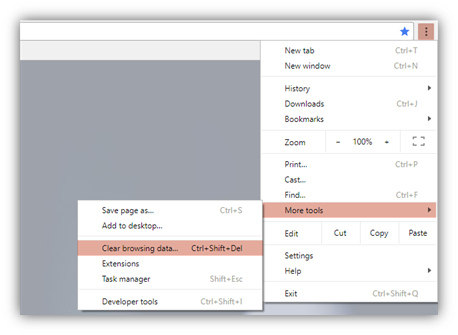
eraPower shares its cache with the Chrome browser. In order to clear the cache, please open the Chrome Browser and click on the three dots to open the menu > More Tools > Clear Browsing data
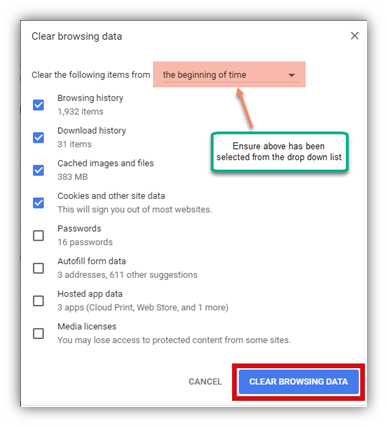
Ensure that it looks like below screenshot and click on Clear Browsing Data.
Comments
0 comments
Please sign in to leave a comment.