Clearing Cache in Internet Explorer
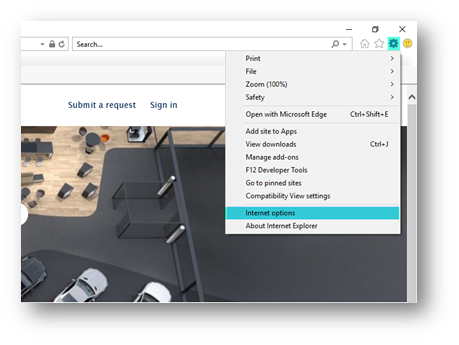
In order to clear the cache, please open Internet Explorer and click on the wheel to open the menu > Internet Options
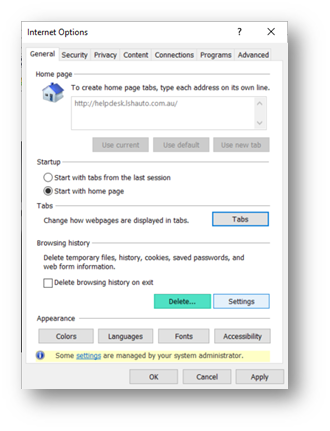
Click on Delete.
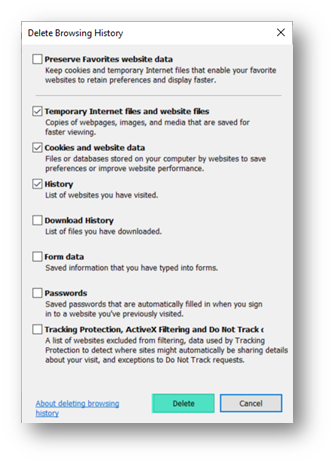
Ensure that it looks like below screenshot and click on Delete.

In order to clear the cache, please open Internet Explorer and click on the wheel to open the menu > Internet Options
Click on Delete.
Ensure that it looks like below screenshot and click on Delete.
Comments
0 comments
Please sign in to leave a comment.